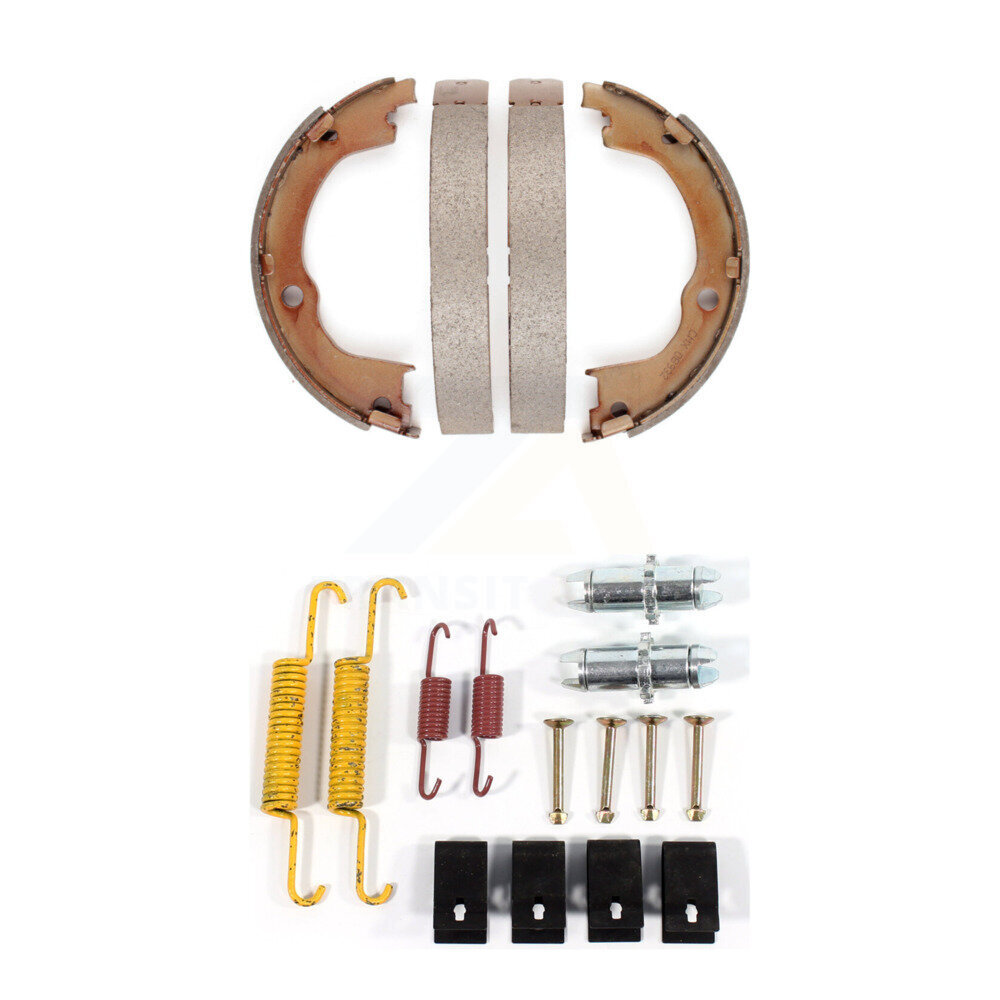
 Standard/OE
In stock
$61.01
5 items in stock
Quality For FREE Shipping
KNH-100084• Rear• Parking Brake Shoe Kits
Add Vehicle to Confirm Fitment
Select your vehicle to see compatible products and accurate pricing

GeoBrakes stocks complete parking brake shoe kits confirmed to fit the Saturn Vue drum-in-hat rear parking brake system, combining OEM-grade parking brake shoes matched to the Vue drum diameter with the return springs, shoe strut, adjusting screw assembly, and retaining clips needed for a correct, fully functional parking brake service on your Saturn Vue. Replacing shoes without the hardware is the leading cause of parking brake failure after service on the Vue in American conditions.
Standard/OE$61.01
5 items in stock
Select your vehicle to see compatible products and accurate pricing
A parking brake shoe kit for the Saturn Vue restores complete parking brake function, not just the friction lining. The most common reason a freshly serviced Vue parking brake fails to hold on a hill is not worn shoes: it is a seized adjuster that prevents the shoe-to-drum clearance from being correctly set after installation on your Saturn Vue. In the enclosed drum-in-hat cavity of the Vue, road salt and meltwater concentrate corrosion on the adjuster threads, the return springs, and the strut. A kit that includes every hardware component alongside the shoes is the only way to guarantee the Saturn Vue parking brake performs correctly after service.
The kit for your Saturn Vue includes parking brake shoes with OEM-grade friction lining at the correct arc length and lining width for the Vue drum-in-hat diameter, return springs that retract both shoes cleanly after the Vue parking brake is released, hold-down hardware with springs and pins that locate the shoes while permitting actuation on your Saturn Vue, the parking brake strut connecting both shoes through the Vue mechanism, the adjusting screw assembly setting correct shoe-to-drum clearance for reliable holding force on your Saturn Vue, and retaining clips and washers securing the strut and adjuster in correct operating position on the Vue.
The parking brake shoe adjuster on the Saturn Vue sets the gap between the shoes and the inner drum surface of the Vue rotor hat. In American winters, the drum-in-hat cavity of the Vue traps road salt and moisture. The adjuster threads on your Saturn Vue corrode and seize, sometimes within a single winter season. A seized adjuster on the Vue produces a parking brake that either drags against the drum when released or fails to hold the Saturn Vue on a slope when engaged.
Parking brake shoe kits for the Saturn Vue are among the most vehicle-specific brake components in the catalogue. The shoe arc length, lining width, spring rates, strut length, and adjuster thread specification for the Vue are all determined by the specific drum-in-hat diameter of the Saturn Vue rotor. Every kit in the GeoBrakes catalogue is assembled for the Saturn Vue exact year and model, with zinc-plated or coated hardware components to resist the concentrated corrosion inside the Vue drum-in-hat cavity.
How do I know if my Saturn Vue uses parking brake shoes?
Saturn Vue vehicles with four-wheel disc brakes often use a drum-in-hat parking brake requiring separate shoes. Some Vue variants instead use a caliper-actuated parking brake. Use the GeoBrakes vehicle selector to confirm your Saturn Vue parking brake type and find the correct kit.
My Saturn Vue parking brake light stays on after I release it, do the shoes need replacing?
A warning light that stays on after full release on the Saturn Vue can indicate worn shoes, a faulty sensor, low brake fluid, or a stretched cable on the Vue. If the Saturn Vue fails to hold on a slope, a shoe kit replacement combined with cable and adjuster inspection is the recommended starting point for your Vue.
Can I adjust the parking brake on my Saturn Vue after installing a shoe kit without replacing the cable?
Yes, if the Vue cable is in good condition and within its adjustment range. After correct shoe installation and adjuster setting on the Saturn Vue, adjust the cable until the brake holds firmly within three to five clicks of Vue lever travel.